Review playing time
Check planned minutes and rest for each player.
Hockey substitution planner
Create a hockey substitution schedule by choosing available players, assigning positions and planning bench turns. Then check playing time and position coverage at every substitution. doHockey helps with a field or indoor hockey proposal; you decide whether it fits your team.
The doHockey portal opens in a new tab. Sign in or create an account. You need access to a team; then choose your match and review the players and starting lineup.
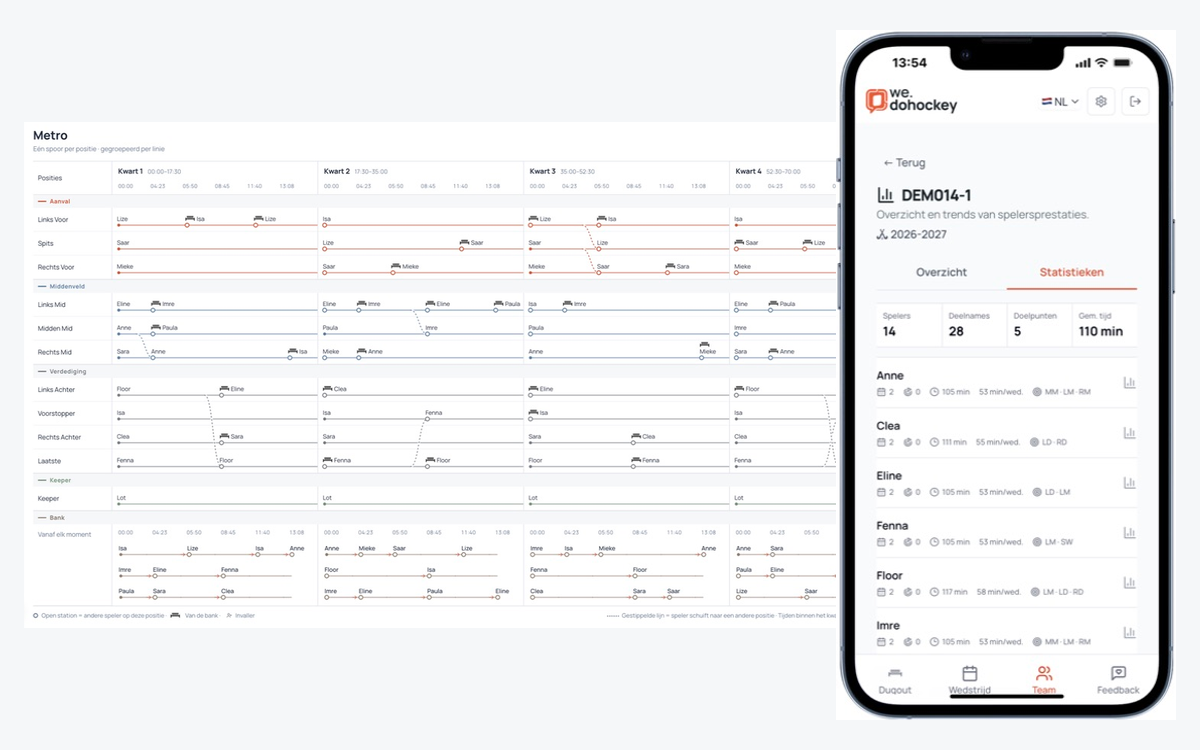
Check planned minutes and rest for each player.
See who plays in each position and when substitutions happen.
Use Metro at the sideline or take the PDF with you.
Record attendance, suitable positions and who can play less. Set the match duration and the number of players on the pitch.
Generate a proposal and check each player’s minutes, positions and bench turns. Fair playing time also depends on availability and your team agreements.
Follow the schedule in Metro on your phone or download the saved lineup and substitution schedule as a PDF. Discuss changes with your coaching team.
Suppose you plan 60 minutes with 10 outfield players on the pitch and 12 available outfield players. The goalkeeper is excluded from this calculation. That gives 10 × 60 = 600 outfield player minutes: an average of 600 ÷ 12 = 50 minutes per player, with 10 minutes of rest if availability is equal.
This is an arithmetic example, not a prescribed match duration or a guaranteed planner result. Positions, substitution moments and individual limits can change the distribution. A player with a 50% availability limit can play at most 30 minutes in this example; the remaining minutes must be covered by other players.
We label the players A to L. This fictional plan divides 60 playing minutes into two 30-minute halves, excluding breaks. A different pair rests every five minutes. The other ten outfield players play; the goalkeeper is outside this schedule.
| Players resting | First half | Second half |
|---|---|---|
| A, B | 0–5 min | 30–35 min |
| C, D | 5–10 min | 35–40 min |
| E, F | 10–15 min | 40–45 min |
| G, H | 15–20 min | 45–50 min |
| I, J | 20–25 min | 50–55 min |
| K, L | 25–30 min | 55–60 min |
Each outfield player rests for 5 minutes per half: 10 minutes of rest and 50 minutes of playing time overall. After five minutes, A and B come on and C and D come off. Continue following the table. Equal total playing time and rest in both halves make the plan easier to explain.
This example only works if the players can cover all required positions between them. Check who takes over each position at every substitution. Adapt the blocks for a different match duration, fewer players or limited availability, then review minutes and rest again.
The doHockey portal opens in a new tab. Sign in or create an account. You need access to a team; then choose your match and review the players and starting lineup.
Use settings that fit your match. Standard supports field and indoor hockey substitution proposals. Advanced line rhythms are available for field hockey. Create detailed plans in the portal and follow them on mobile.
Multiply the number of outfield places by match duration, then divide by the number of available outfield players. This gives a target when availability is equal, not a guarantee of identical minutes. Account for individual limits, positions and team agreements, then check when each player rests. Read the player schedule guide (Dutch).
Exclude a fixed goalkeeper from the outfield calculation. If players also take turns in goal, review goalkeeping and outfield minutes separately before comparing total playing time. In indoor hockey, the goalkeeper rotates separately from outfield players. The example above assumes a separate goalkeeper.
No. Record realistic position preferences and check that every position stays covered at each substitution. If only one player can cover a required position, this limits rotation and equal bench time. Do not add unsuitable positions just to equalise minutes. Read the lineup preparation guide (Dutch).
Before the match, update attendance first. Then review the goalkeeper, position coverage and starting lineup, and create a new substitution plan. Changes during preparation can remove the existing schedule, so review the new plan and replace any previously downloaded PDF before using it. Read how to review substitutions (Dutch).
Yes. Download the saved lineup and substitution schedule as a PDF. A public sharing link is optional: anyone with the link can view the PDF and player names. You can revoke that link.