Prepare with clarity
Connect training, players, lineup and match plan.
For hockey coaches
Prepare training and matches, make informed decisions and track every player’s development—from one coaching workspace.
Connect training, players, lineup and match plan.
Use your plan on mobile and keep your attention on the game.
Capture observations and choose a focused next step.
Sound familiar?
The coaching itself is rewarding. The fragmented organisation around it takes time and makes consistency difficult.
From information to action
doHockey does more than display information. It shows what needs attention and takes you directly to the next coaching task.
One coaching starting point
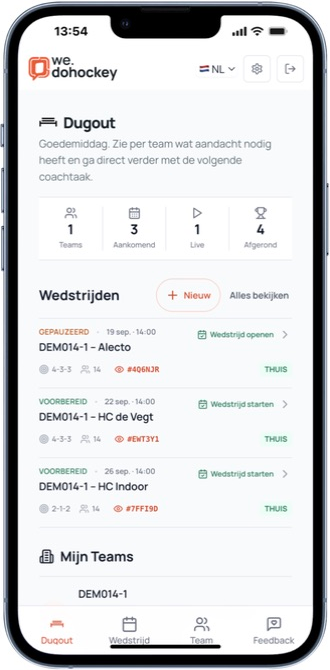
The Dugout brings teams, matches, training and development together and turns missing preparation into a concrete next task.
Prepare training
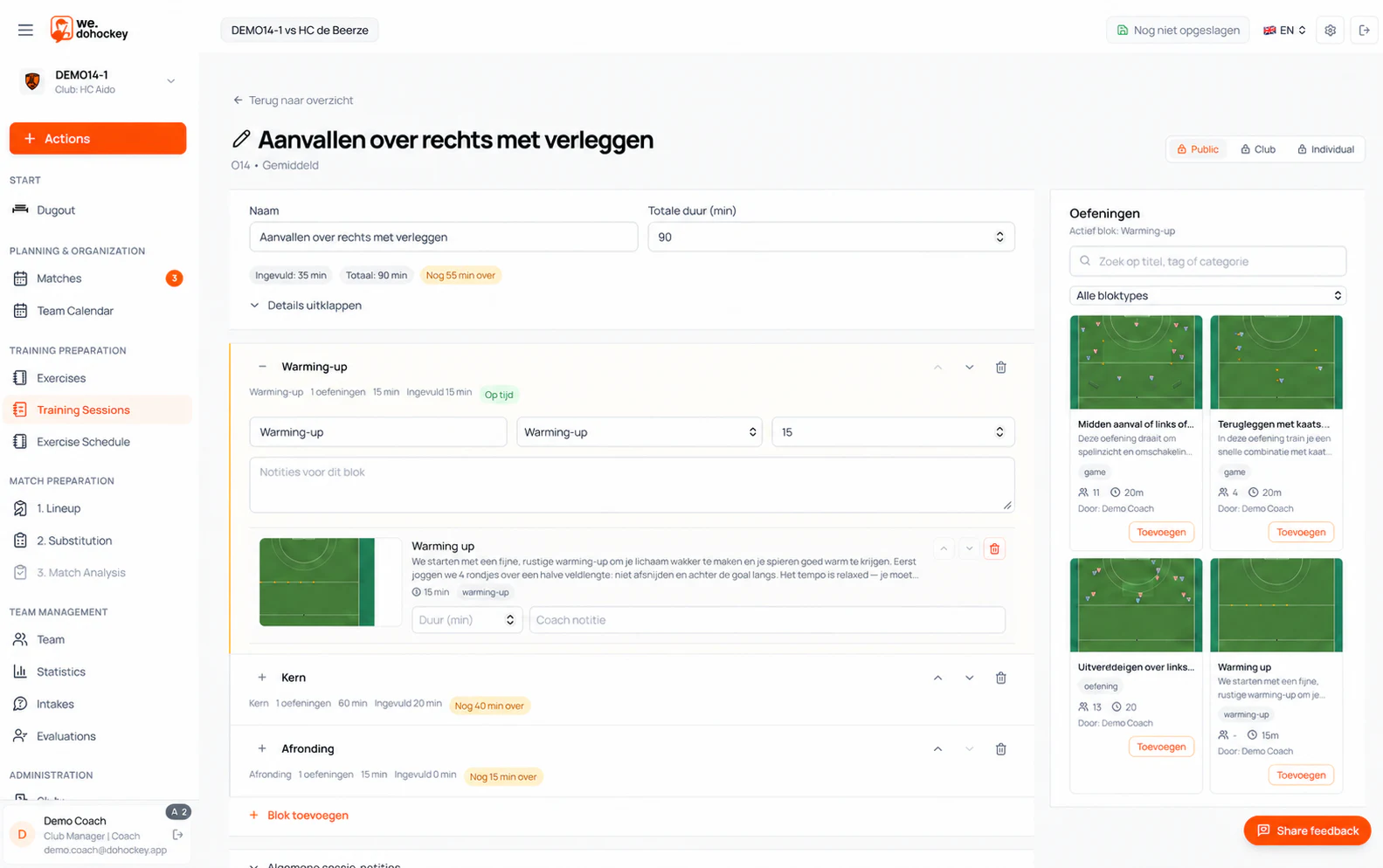
Combine exercises into sessions and work with plans spanning multiple weeks, connecting each training to what your team needs.
Build the lineup
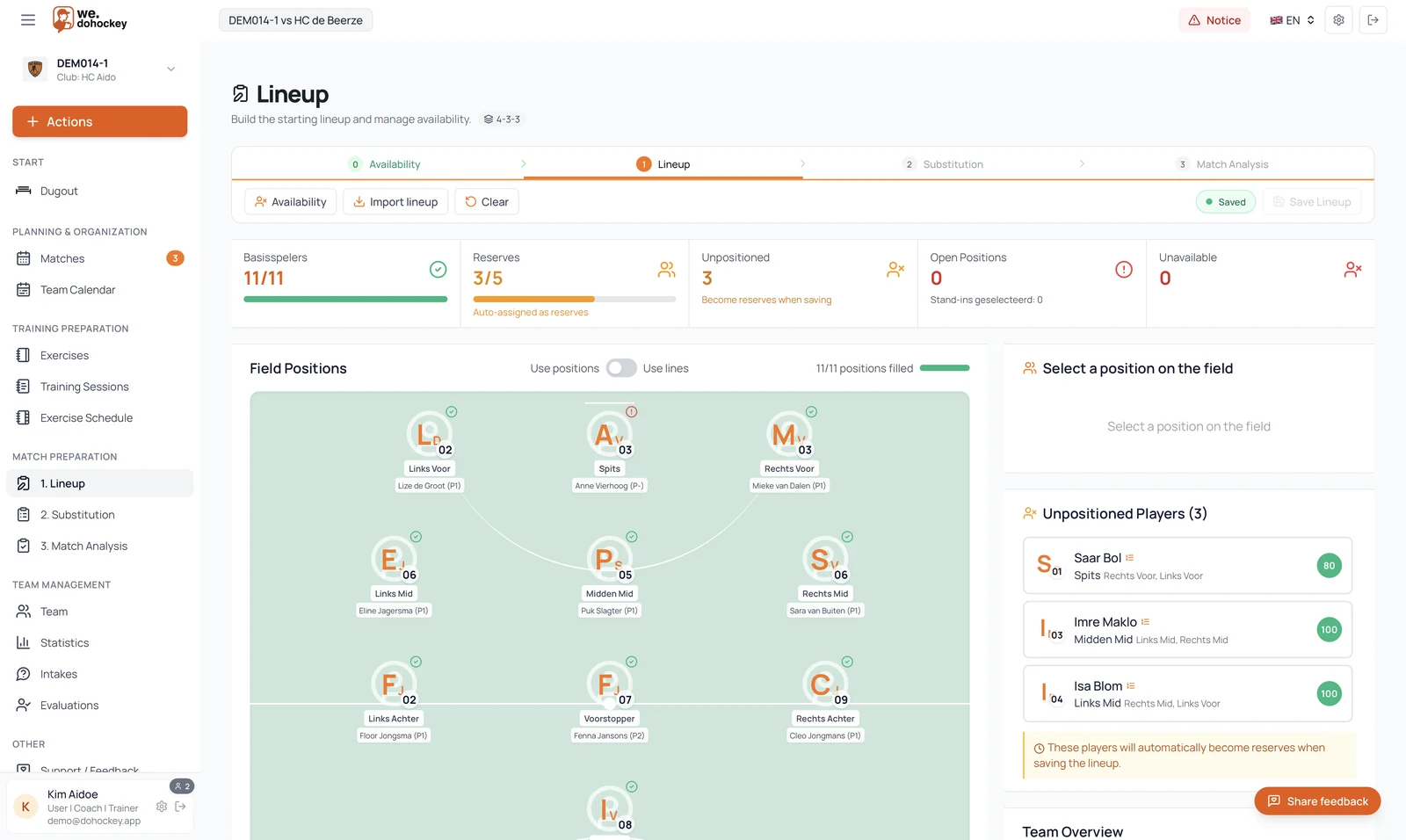
Build the starting lineup directly on the pitch. See immediately which positions are filled, who is in reserve and which players still need a place.
Plan substitutions
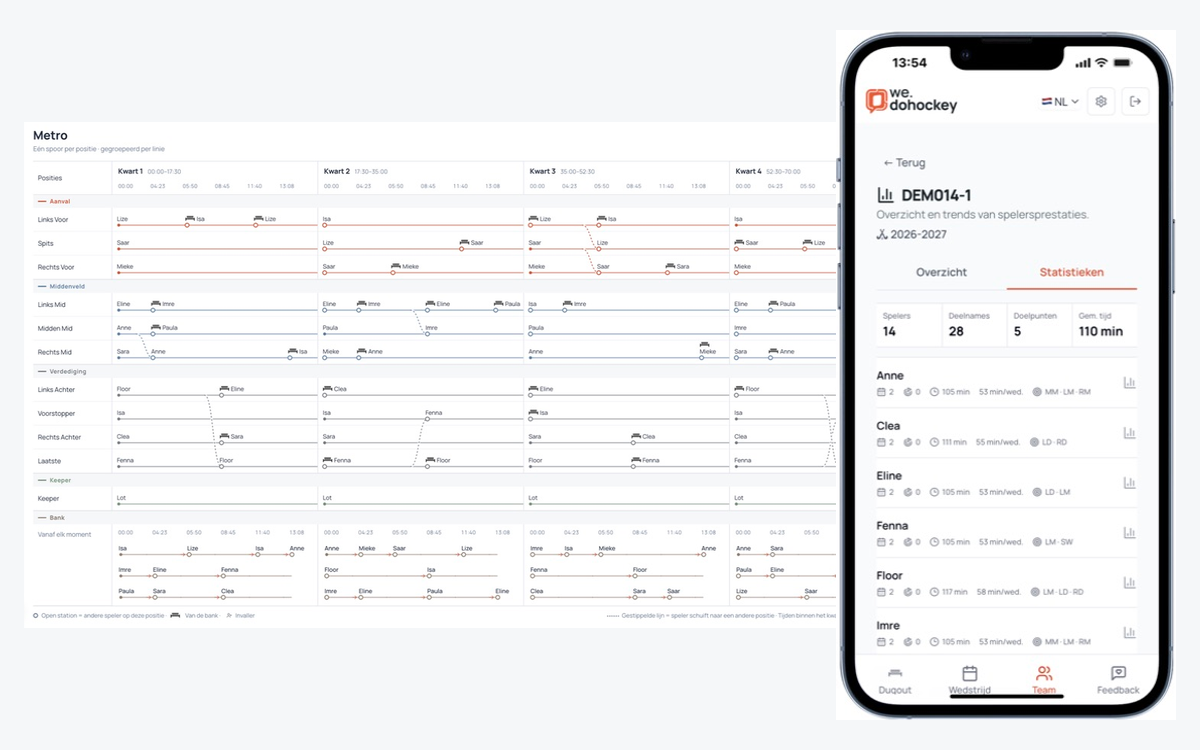
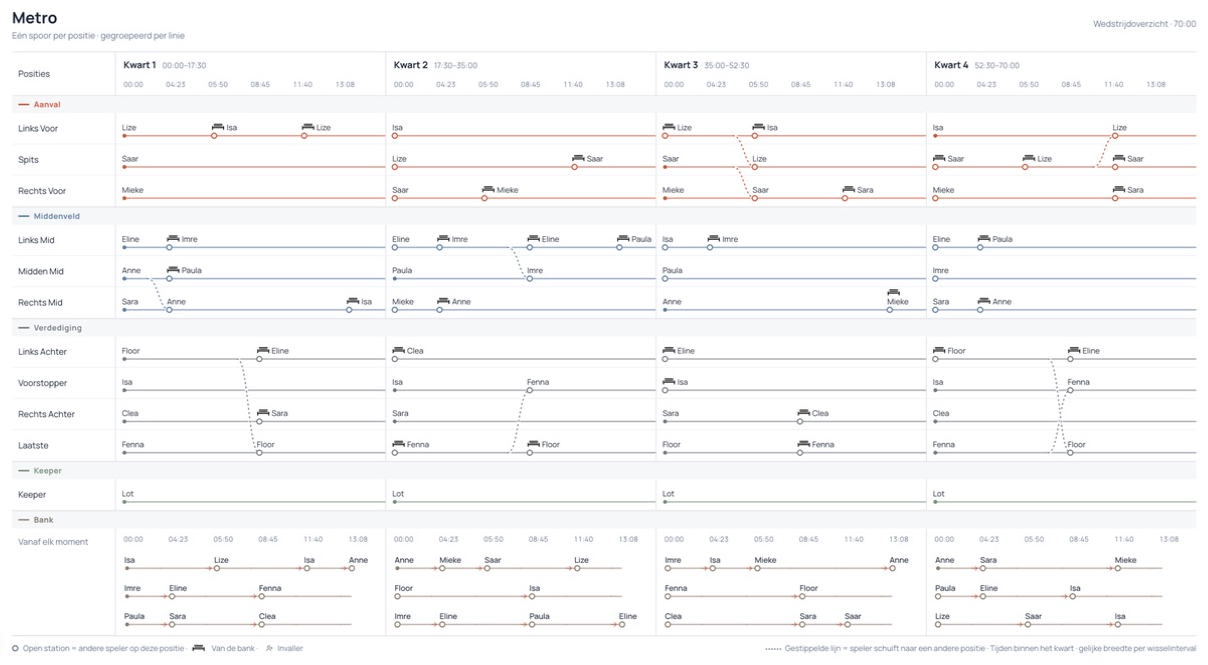
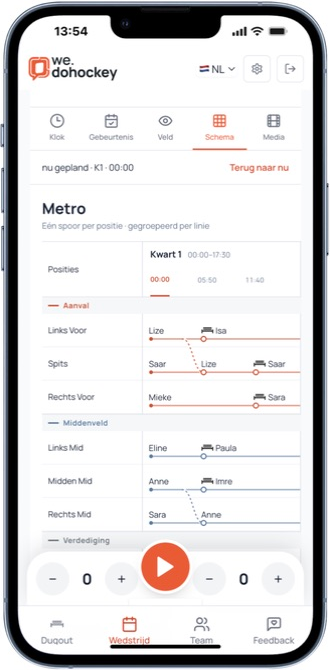
Follow your substitution plan in Metro. Position tracks, change moments and bench turns show who plays where. Review the planned minutes before heading onto the pitch.
Develop players
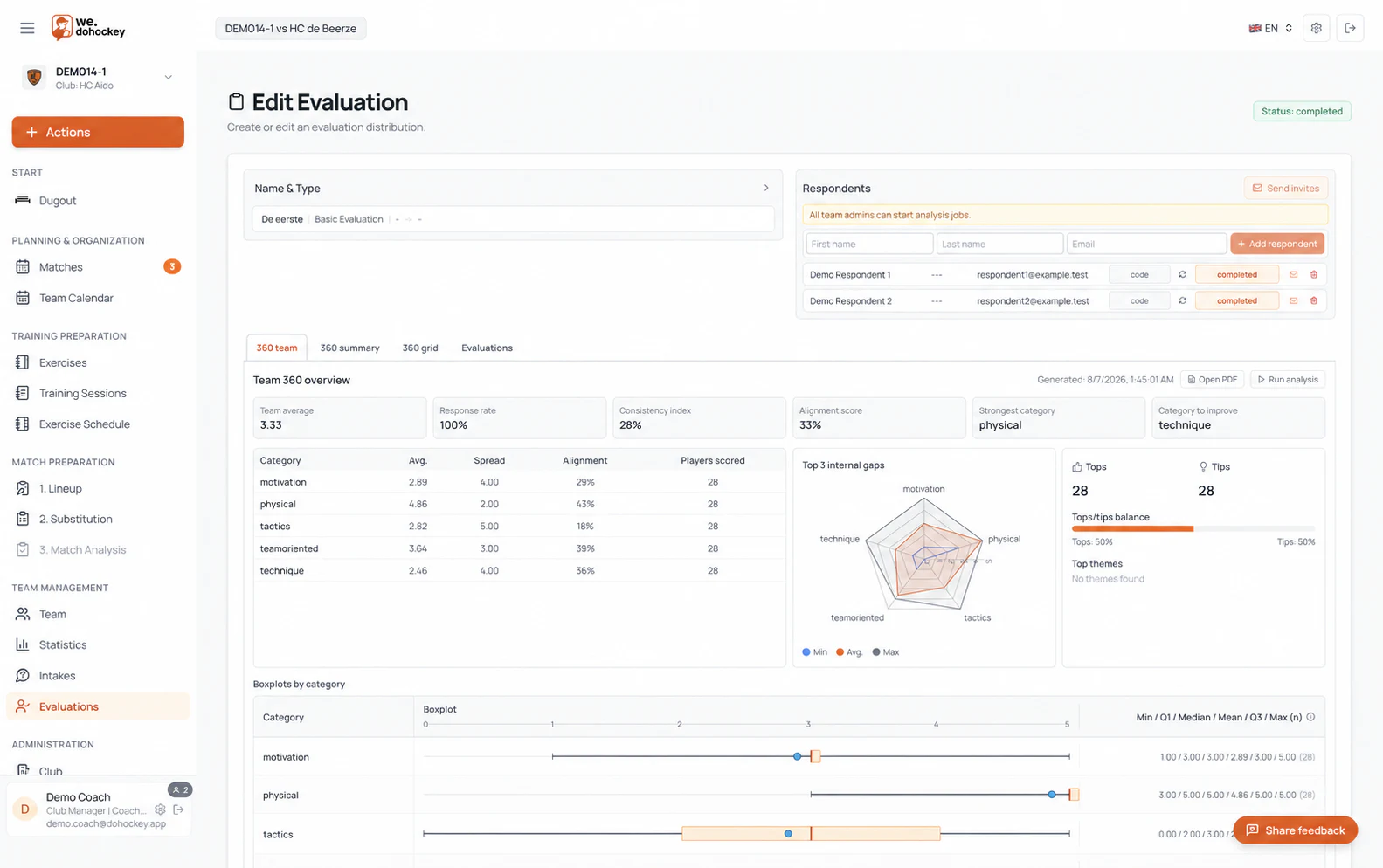
Use team intakes and player evaluations to capture observations, recognise patterns and support better next steps.
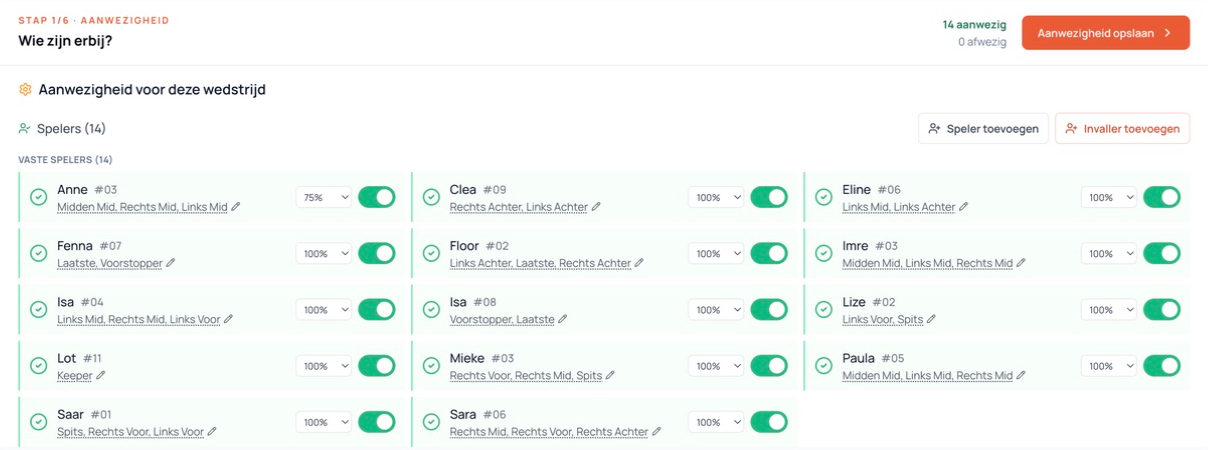
Per player, per match
Choose a maximum availability for each player. For example, 50% of a 70-minute match means at most 35 minutes. The outdoor planner respects that limit when distributing playing time.
Choose a percentage. The limit applies to this match and does not promise that exact number of minutes.
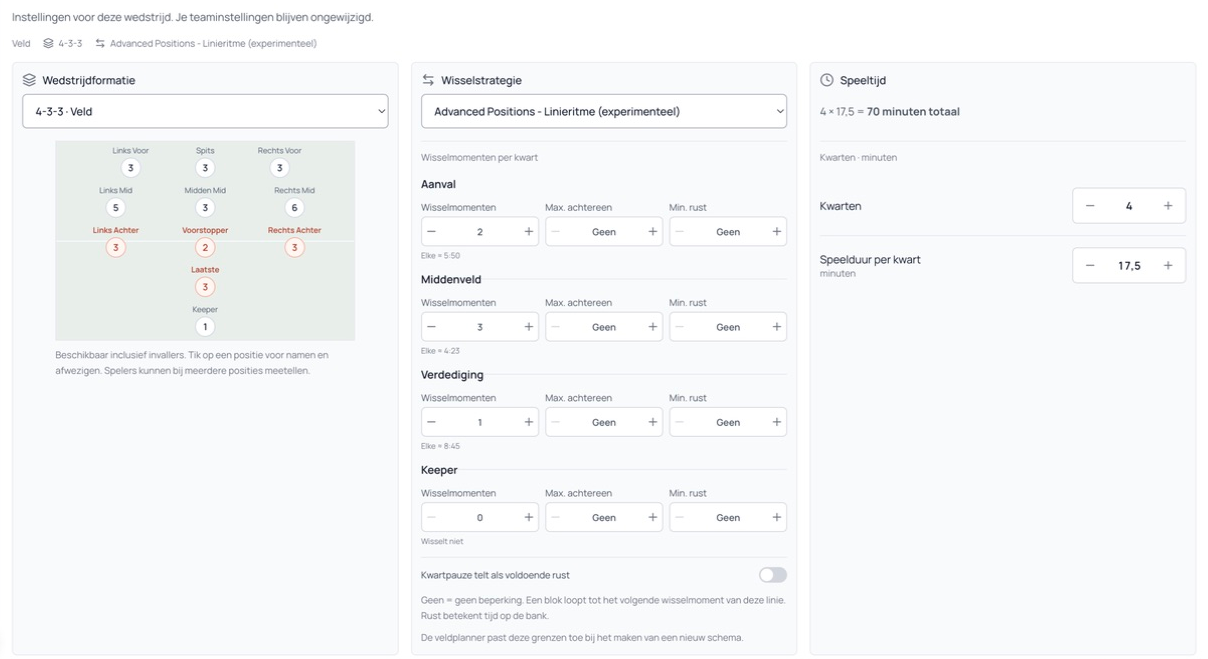
Per line
Set separate substitution moments for attack, midfield and defence. Add consecutive-play and bench-rest rules. Advanced looks for a proposal within those settings, considering playing time and preferred positions.
For outdoor matches. Create and edit Advanced plans in the portal; view and execute them on mobile. You review the proposal.
Review your proposal
Review planned minutes, preferred positions and bench time to assess the distribution before the match starts.
P1, P2, P3 and bench time use the full match duration. These are planned match figures; team statistics cover completed matches.
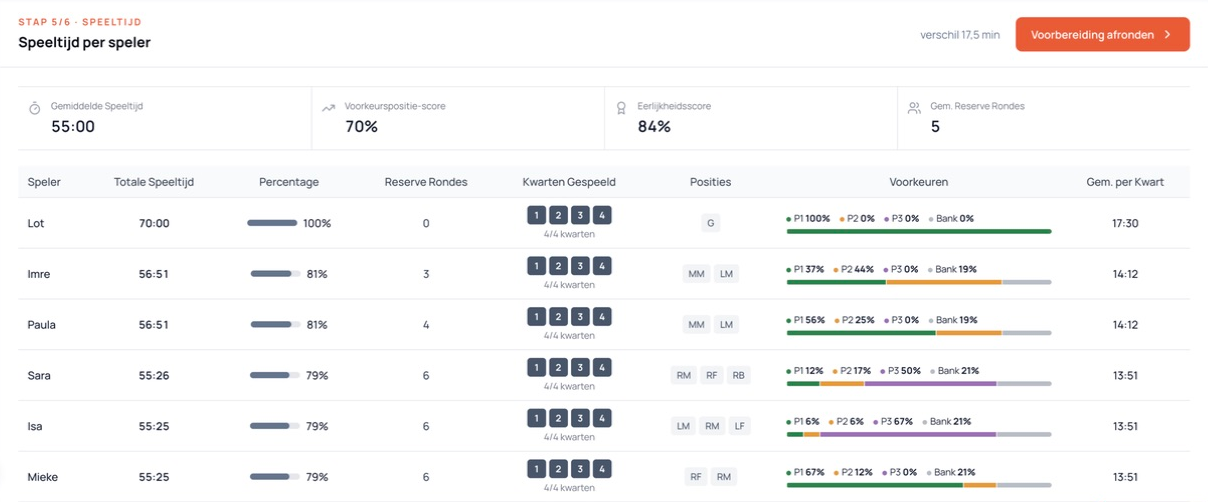
The line rhythm determines when a line can substitute. The player limit caps someone’s playing time across the whole match. For example, midfield has three substitution moments per quarter. A player limited to 75% of 70 minutes may play at most 52:30. Then review each player’s calculated playing time.
Your team at a glance
Review appearances, goals, playing minutes and positions within the team season. Compact player rows keep the overview readable on your phone.
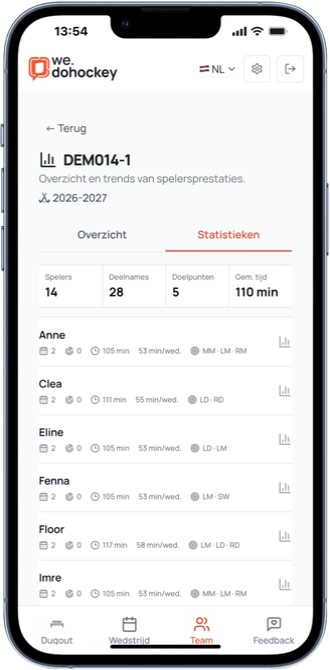
Per player
Tap a player for seasons, appearances and match history. Bring that information into your next coaching conversation.
Explore the mobile workspace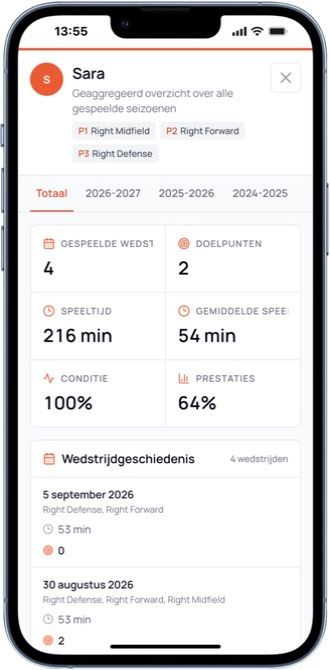
One place for your regular coaching workflow.
See what is missing and act immediately.
Less searching, more observing and guiding.
Connect training, matches and evaluation.
One account, two moments
Use the portal on tablet or desktop for detailed preparation. Beside the pitch, use the same account in the mobile coaching experience for Metro, match actions and team statistics.
Fits the way you coach
Get guidance for planning, lineups and the next step.
Reduce administration and create space for better decisions.
Connect what you train with what you want to see in matches.
Work with several coaches from the same current team information.
Openly evolving
doHockey is in open beta and continues to evolve quickly. You get direct access to support, documentation and the community.
FAQ
No. Start with your club and team, add players and create only the parts you need. The Dugout shows a logical next step.
Yes. The mobile coaching experience is designed for quick use beside the pitch, with the match, team and live actions close at hand.
Yes. Coaches can be linked to the same team and work from the same current team context.
Use a tablet or desktop for detailed preparation. On a phone, use the mobile coaching experience with the same account.
doHockey is evolving continuously. During the open beta you can use features, share feedback and follow changes through support and the community.
Receive an email only for relevant releases, new features or important improvements. No recurring newsletter and no fixed sending schedule.