Features
Everything for your hockey team.
From team management and substitutions to training and development. Explore what you can do with doHockey, on and off the pitch.
Feature area 01
Team and season
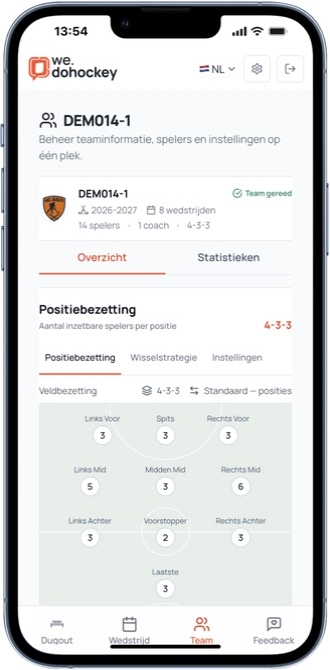
Keep players, coaches and positions together. Bring an existing team into the new season and adjust the squad, building on what is already there.
- Manage players, preferred positions and formations
- Work with several coaches on the same team
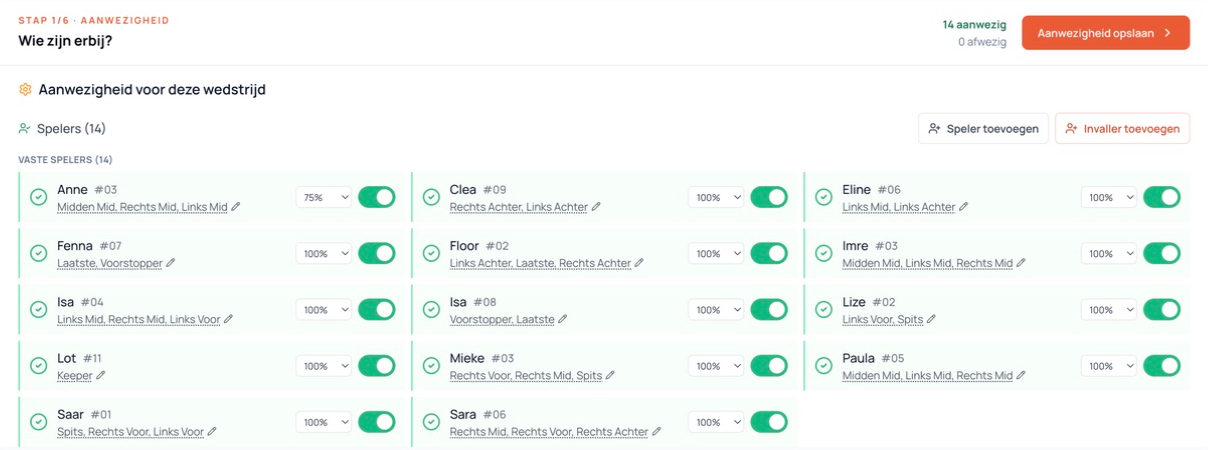
- Manage attendance and guest players for each match
- See which preparation needs attention in the Dugout
Feature area 02
Matches
Create a smart proposal for your lineup and substitutions. The substitution planner looks for suitable positions and balanced bench turns. You review the proposal and adapt it for your team.
- Lineups and substitution proposals for field and indoor hockey
- Review playing time, positions and bench turns
- Use your match plan on mobile or as a PDF
- Record scores and match events for supporters to follow
More about your match plan
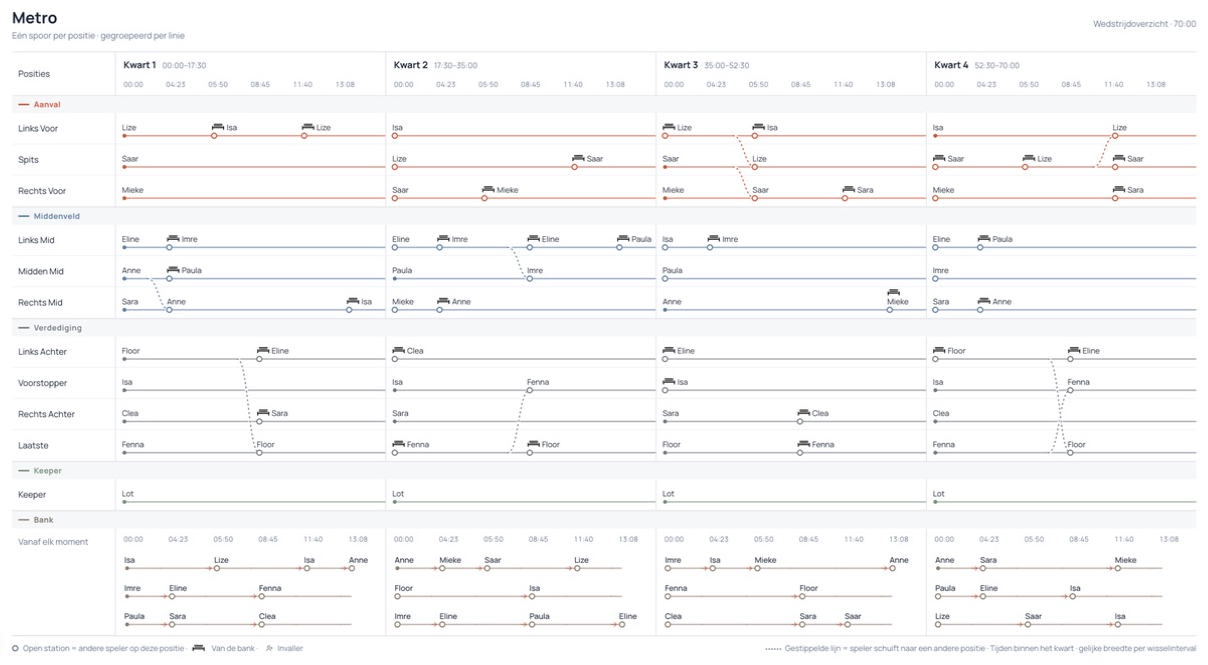
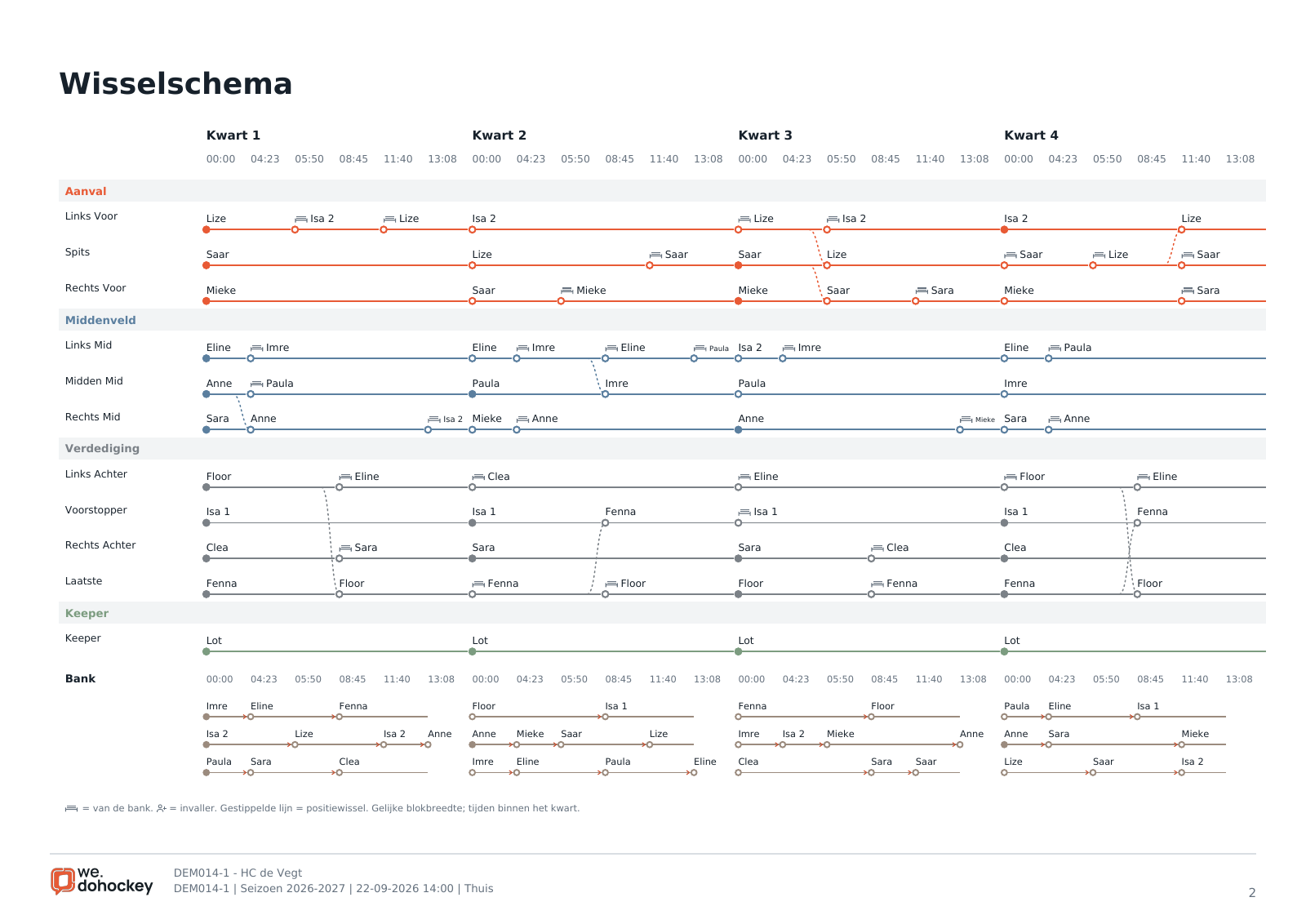
Metro: reading your substitution schedule
A track represents a position, a name shows who plays there and a station marks a change. Bench tracks and dotted connections show rest and position changes.
Read the exact time at each substitution. The visual distance between stations does not represent playing minutes.
Maximum playing time per player
Set how much each player can play in a match. At 50% of a 70-minute match, the limit is 35 minutes. The outdoor planner respects that limit.
The percentage sets a limit for this match; it does not promise that exact number of minutes.
Substitution rhythm per line
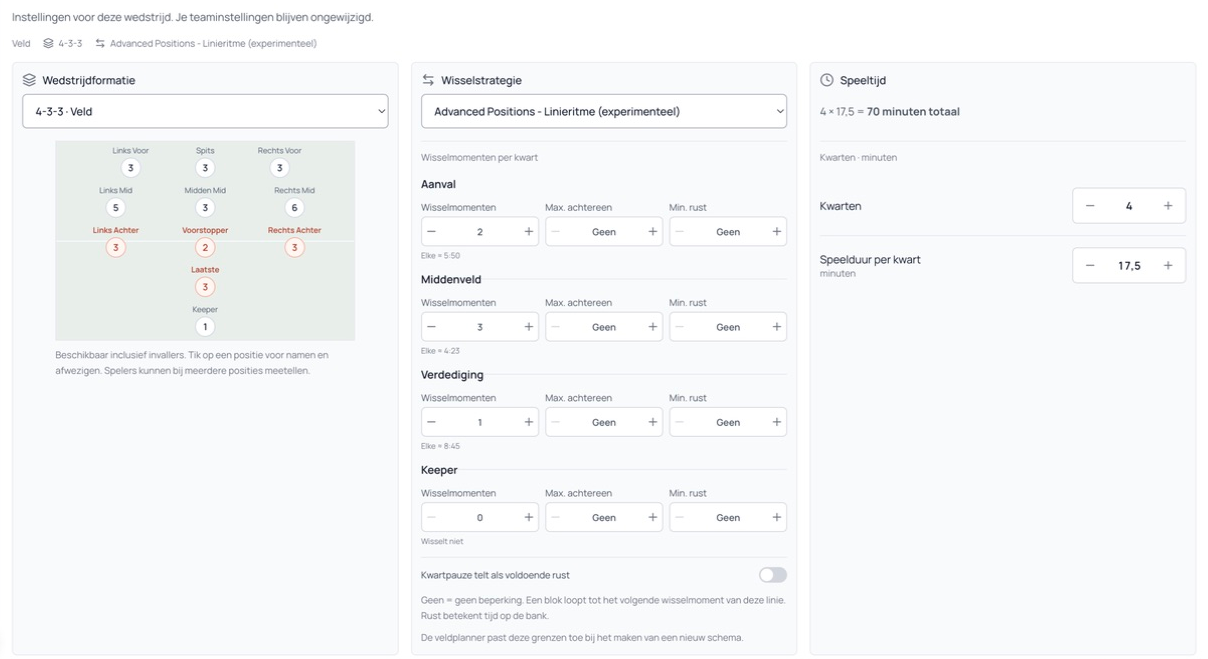
In Advanced, choose separate substitution moments and play/rest rules for attack, midfield and defence. Line rhythms determine when substitutions happen; player limits determine how much someone can play.
Available for field hockey. Create and edit plans in the portal; view and use them on mobile. Always review the proposal and calculated playing time.
Adjusting substitutions and stand-ins
Limit how many players change at once: across the team in Standard, or per line in Advanced. Also choose whether at most one stand-in may be on the field and whether regular players get priority at their first-choice position.
These choices can affect playing-time distribution. Review the proposal and regenerate the schedule after changing the settings.
Reviewing planned playing time
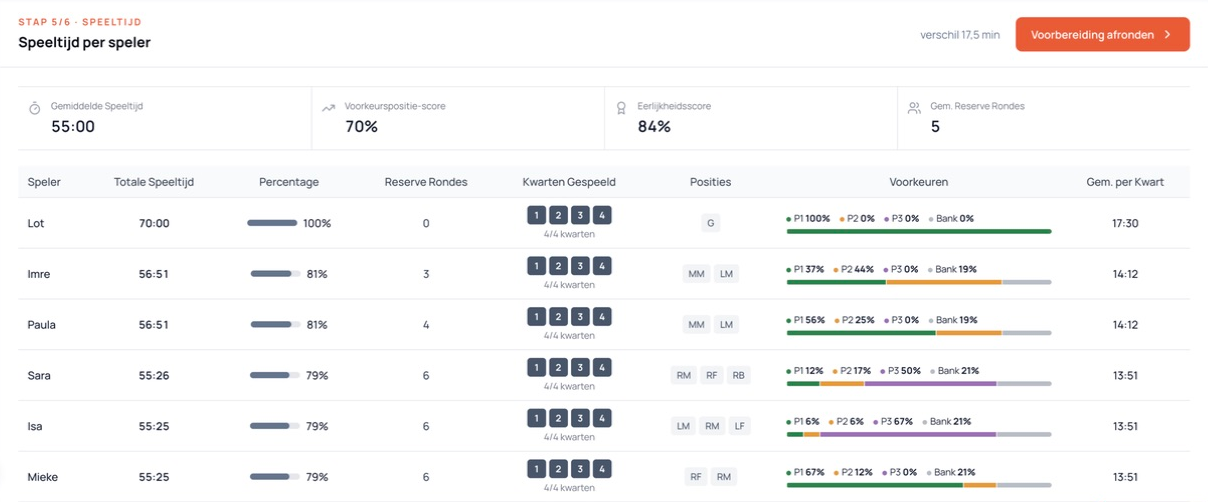
Review each player’s planned minutes, preferred positions and bench time to assess the distribution before the match starts.
P1, P2, P3 and bench time are measured against the full match duration. These are planned figures; team statistics cover completed matches.
Printing or sharing the match plan
Download the saved lineup and substitution schedule as a PDF, including Metro and planned playing time. Print the plan or share a public link with your coaching team.
Sharing is your choice. Anyone with the link can view the PDF and player names. You can revoke the link.
Feature area 03
Statistics
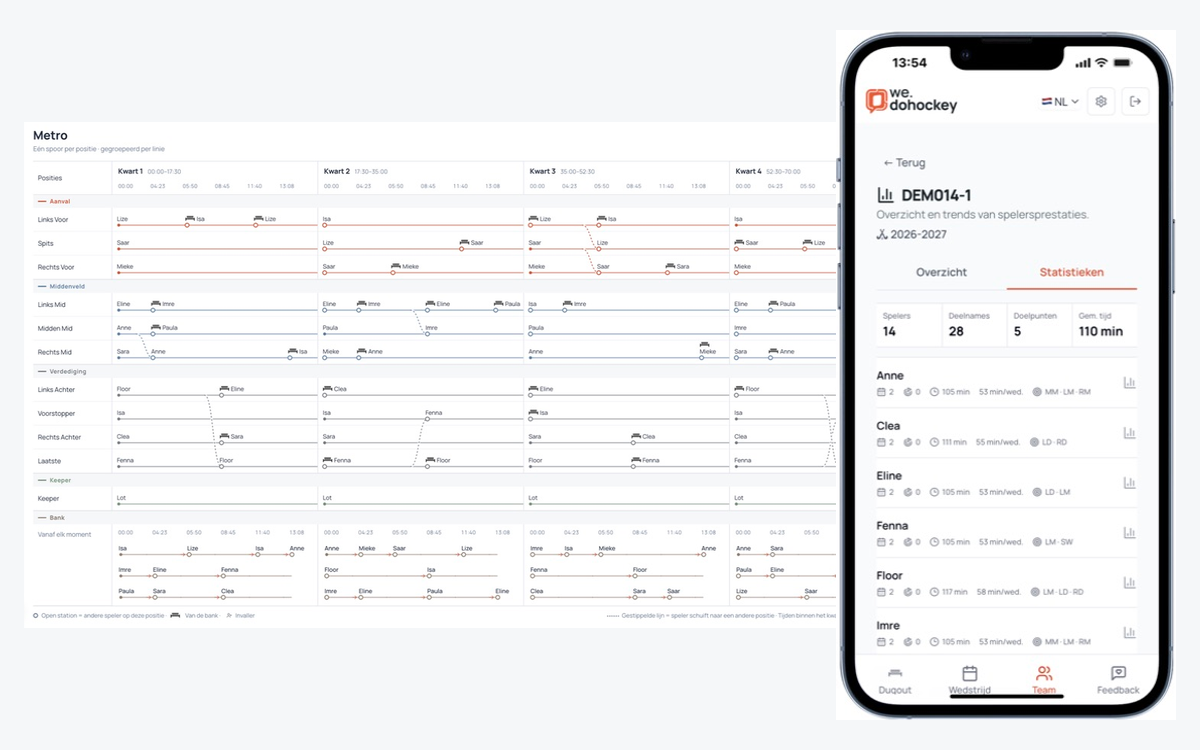
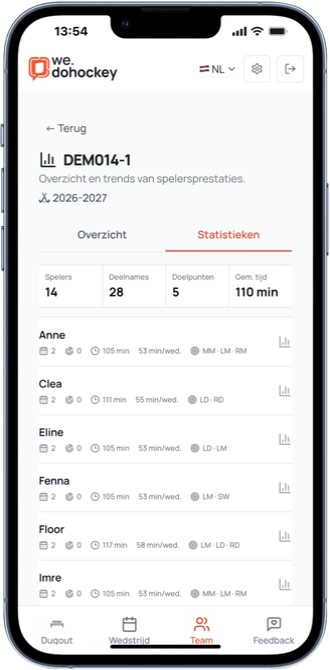
Open Statistics for your team in the Dugout. Review appearances, goals, playing minutes and positions within your team season. Tap a player to explore more.
- Compact summary and readable player rows
- Minutes per match and positions played
- Player details and match history
- Figures from completed matches in the selected team season
Feature area 04
Training
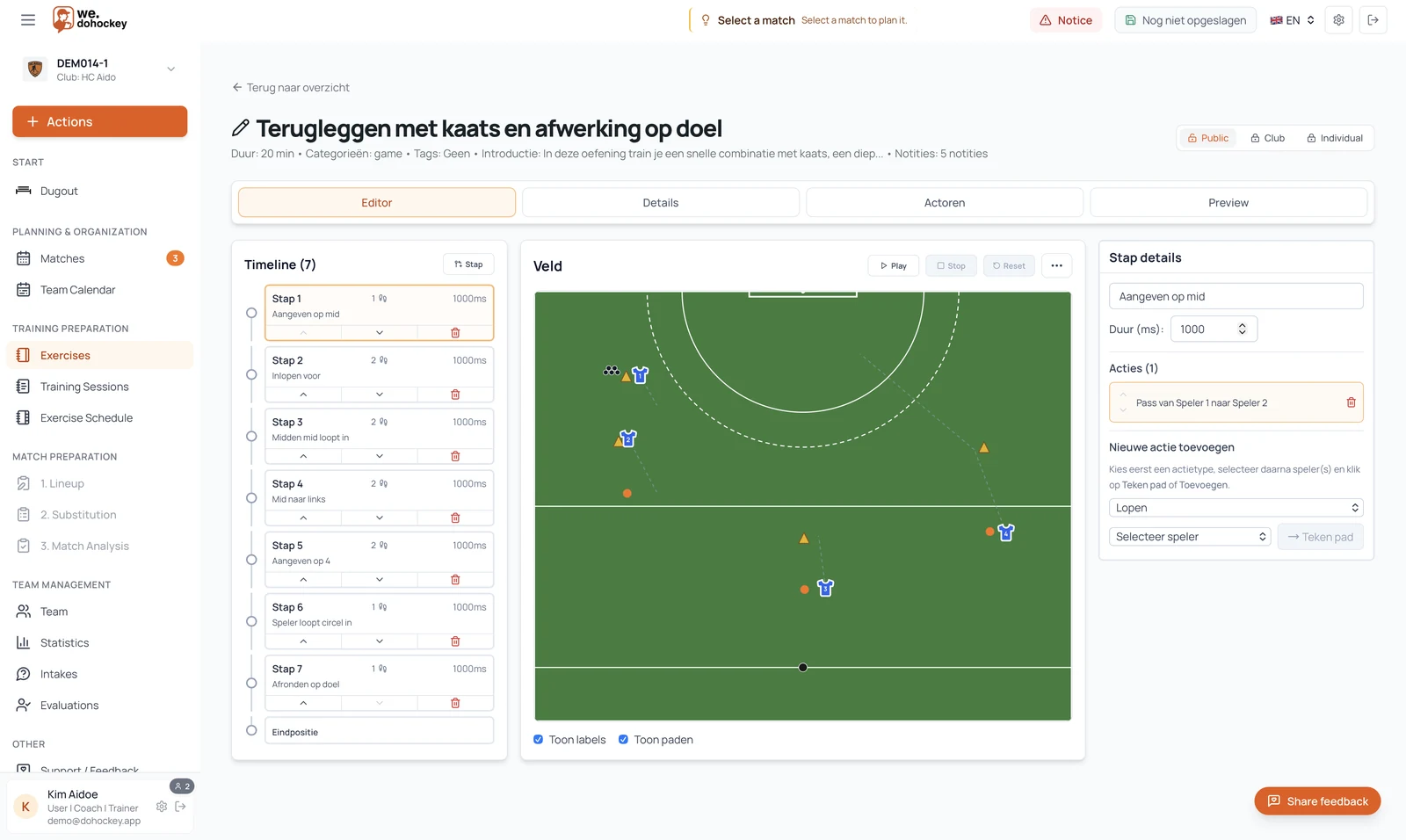
Build an exercise library, combine drills into sessions and plan several weeks ahead. Make instructions visual with pitch diagrams and animation steps.
- Create, find, share and reuse exercises
- Assemble sessions and build multi-week training plans
- Play exercises step by step on the pitch
- View previously saved exercises offline on your phone
Feature area 05
Development
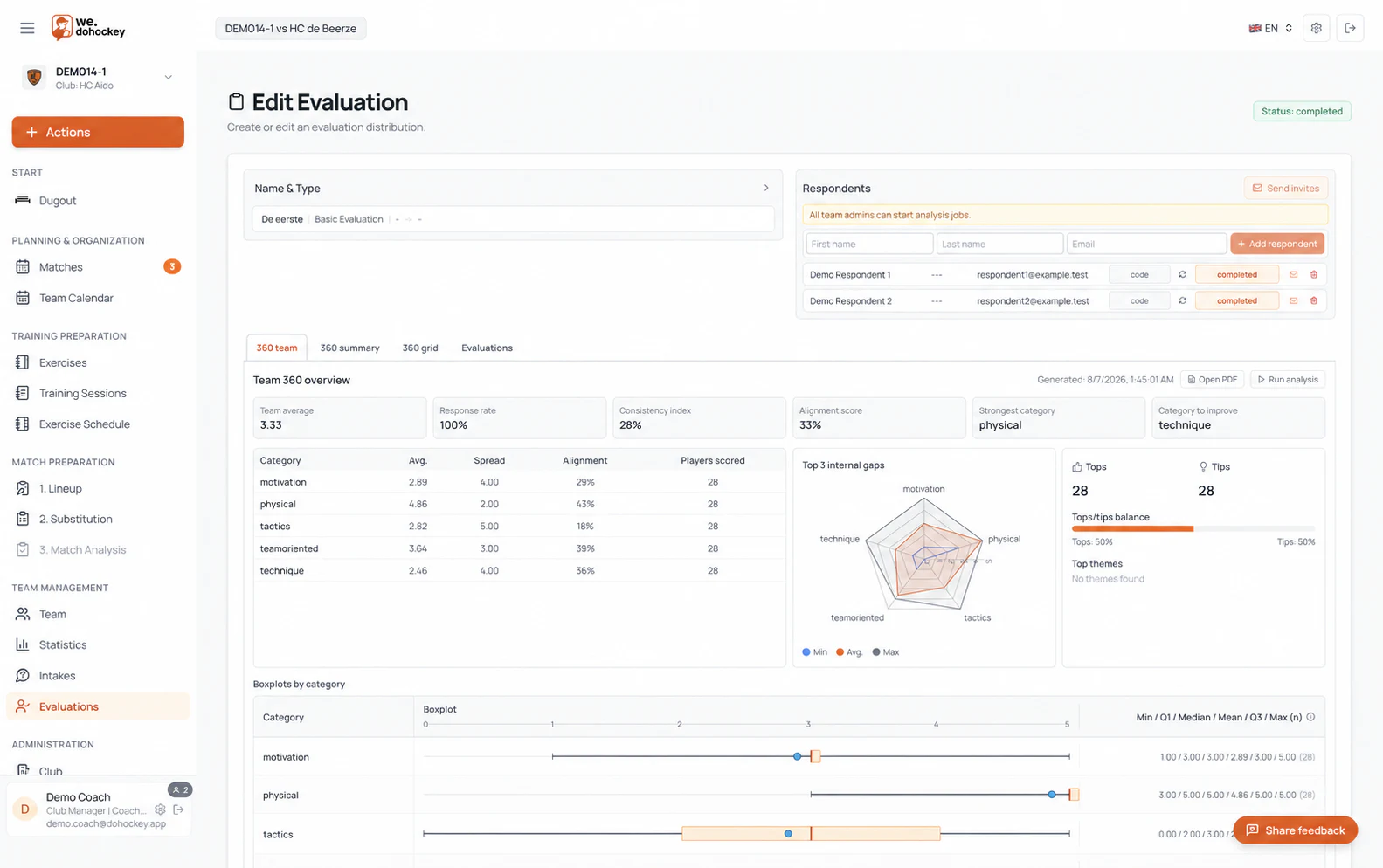
Collect input through team intakes, player evaluations and 360° feedback. Use recorded observations to discuss development points and choose your next training session.
- Use a team intake as a shared starting point
- Collect feedback and track open evaluations
- Discuss evaluation results and differences in observations
- Review recorded playing time and match statistics within the team season